Let your content do the talking, pt.1
Smart Chat engages your visitors in conversation about you and what you offer directly from your Frilly profile
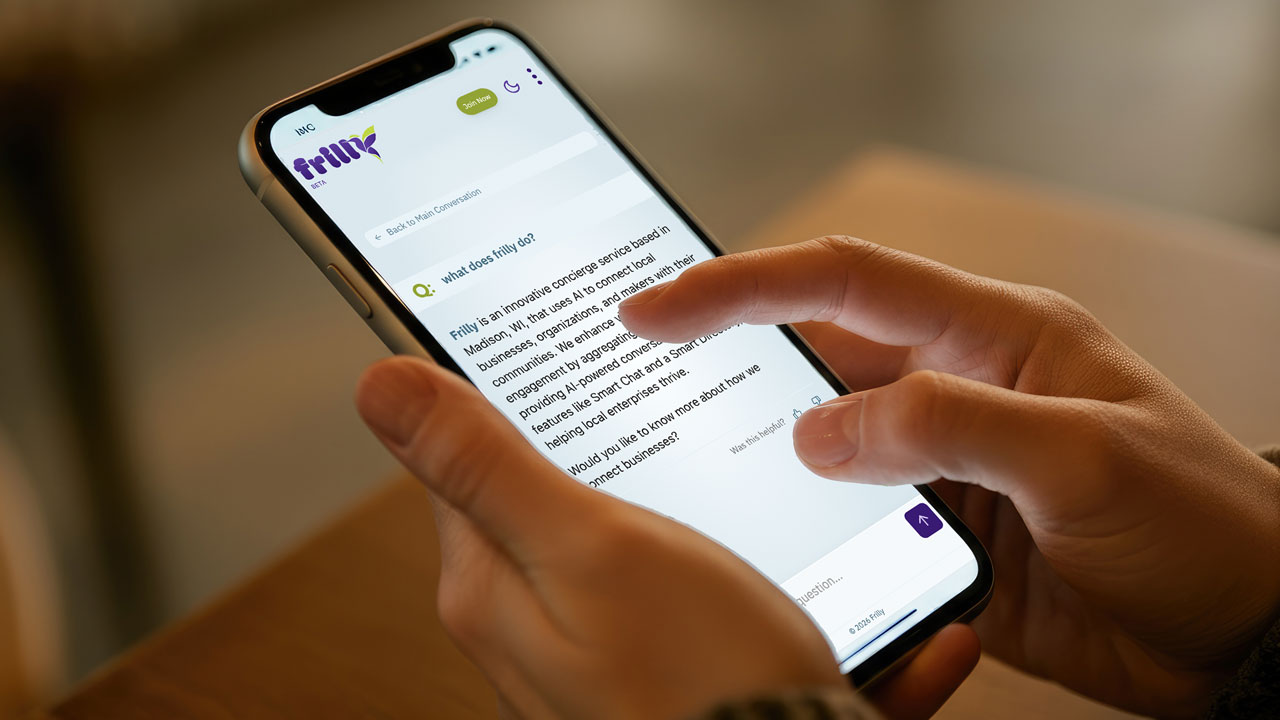

If you’ve used ChatGPT, Claude, or Gemini, you’ve experienced firsthand how natural it feels to ask questions and get immediate, helpful answers.
What if your website visitors could have that same experience when learning about your business?
That’s exactly what Smart Chat does. It’s a conversational agent that lives on your Frilly profile in the Smart Directory. It is trained on your content to answer visitor questions naturally and accurately. The goal is simple: help your visitors understand what you offer without the friction of traditional website navigation.
Evolving visitor behaviors
The way people interact with websites is changing dramatically. Research shows that when people engage with conversational AI like ChatGPT, they spend an average of 14 minutes in active dialogue—compared to just 54 seconds on traditional websites. That’s more than 15 times longer, and it signals a fundamental shift in how people prefer to consume information.
According to Zendesk, 51% of consumers now prefer interacting with AI agents when they want immediate service. This isn’t about replacing human connection—it’s about meeting the urgent need for instant, accurate answers. When someone visits your website with a question about your hours, your services, or whether you can accommodate a specific request, they’re not interested in hunting through multiple pages. They want an answer now.
Recent data from AdLift reveals that visitors arriving from ChatGPT spend roughly 36% more time on websites than those from traditional search engines. Why? Because they’re arriving with high intent, looking to complete a specific task or solve a particular problem. These aren’t casual browsers—they’re people who have already articulated what they need and are ready to engage with businesses that can help them.
The case for conversational agents
The numbers tell a compelling story, but what does this mean for your business?
-
Speed matters more than ever. According to research from HubSpot, 82% of consumers expect an immediate response to questions about products or services. “Immediate” doesn’t mean within business hours or even within an hour—it means right now. Conversational agents make this possible by providing instant, accurate responses 24/7, ensuring no visitor leaves your site because they couldn’t find the information they needed.
-
Personalization has become an expectation, not a luxury. McKinsey found that 71% of consumers expect personalized interactions, and 76% get frustrated when businesses don’t deliver them. Smart Chat can reference the specific details of your business you add to your Main Prompt, and tailor responses based on what the visitor is asking about. This creates an experience that feels helpful and human, even when it’s powered by AI.
-
More focused visitors. Visitors coming from AI platforms like ChatGPT represent a new kind of traffic: high-intent, task-oriented people who have already done the work of articulating what they need. When someone asks ChatGPT “find me a coworking space in Madison with flexible memberships,” and your profile appears in the answer, that person arrives on your site ready to learn more and potentially convert. But if they can’t quickly find the details they need, they’ll bounce. A conversational agent bridges that gap, answering follow-up questions immediately and keeping the momentum going.
Smart Chat can reference the specific details of your business you add to your Main Prompt, and tailor responses based on what the visitor is asking about.
Smart Chat can reference the specific details of your business you add to your Main Prompt, and tailor responses based on what the visitor is asking about.
Frilly’s Smart Chat on your profile
When you create a profile in the Frilly Smart Directory, it automatically gets a Smart Chat agent embedded onto it. This isn’t a premium feature. It’s included for everyone, completely free.
Your Smart Chat is trained on the content you provide: the business description you write, the details about your services, your hours, location, and any other information in your profile. When a visitor lands on your page and has a question, they can ask the chat directly instead of scrolling or navigating away.
The chat appears as a small, unobtrusive widget that visitors can open when they need it. It’s designed to feel like a helpful conversation with someone who knows your business well, because in a sense, that’s exactly what it is.
Manage your presence
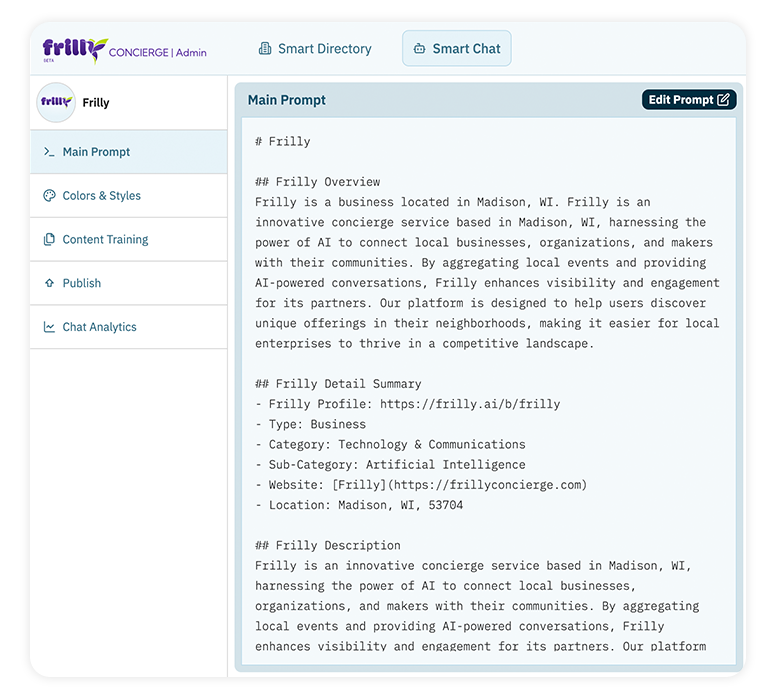
Your Frilly dashboard gives you direct control over what your Smart Chat knows and how it communicates. The Main Prompt is the core content that trains your agent—think of it as the knowledge base your chat uses to answer questions.
This is where you describe your business in depth: what makes you unique, what services you offer, who you serve, and any specific details that help visitors understand what you do. The more comprehensive and accurate your Main Prompt, the better your Smart Chat can respond to visitor questions. You can update this content anytime as your business evolves, adding new services, updating policies, or refining your messaging to better reflect what makes your business special.
Editing your Main Prompt
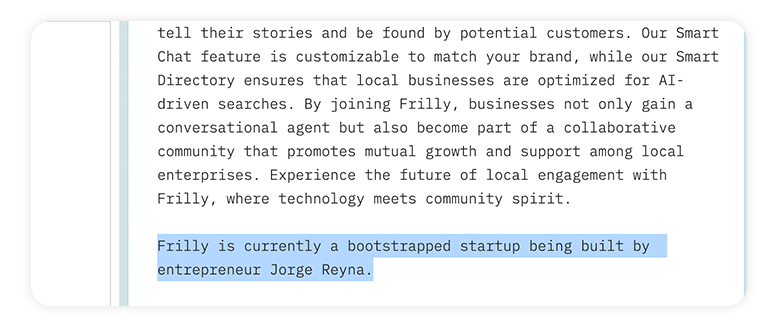
Editing your Main Prompt is straightforward. Click the “Edit” button in your dashboard, and you’ll see a text editor where you can revise your business description, add new information, or reorganize your content for clarity.
Free tier users get three edits per month, which is enough to keep your content current as your business changes. Premium tier users get unlimited edits, plus the ability to add training documents and website URLs—but we’ll cover that in a future post. For now, focus on crafting a Main Prompt that captures what your visitors need to know most.
Test in real time
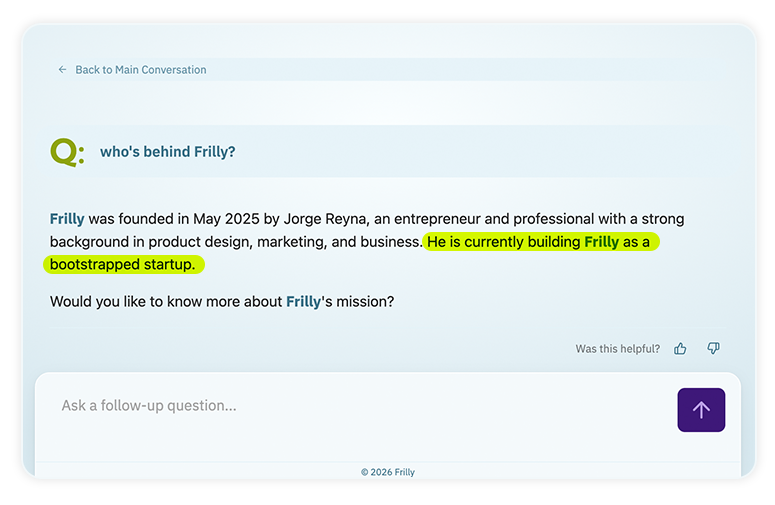
Once you’ve written or updated your Main Prompt, you can test your Smart Chat immediately. Visit your profile page in the Smart Directory, open the chat widget, and ask questions as if you were a potential customer. Things to check for:
- Does the chat give accurate answers?
- Does it capture your business’s personality?
- Does it address the questions people actually ask?
This real-time testing lets you refine your content until it feels right. If the chat doesn’t answer a question well, go back to your Main Prompt and add that information. If the tone feels off, adjust your description. This feedback loop ensures your Smart Chat becomes increasingly helpful over time.
What’s coming next
This post focuses on the conversational agent available on every Frilly profile in the Smart Directory. In our next post, we’ll explore the advantages of embedding this type of conversational engagement directly on your website with Premium Smart Chat. We’ll cover more in-depth topics like how to train it with documents and website content for even richer, more detailed responses.
Featured Organization
TAGS: smart-chat, conversational-ai, customer-engagement